


I have long prided myself in the separation I kept between work and home. The two stayed healthily separate for decades. But on March 4, 2020, that clear dividing line disappeared, when Microsoft announced that we would start Work From Home (WFH) immediately as part of the COVID lockdown.
None of us were sure how long this WFH would last, so for the first week I just focused on trying to stay productive with only a laptop parked on my desk in our shared home office, which meant kicking my wife out whenever there was a meeting (which was 75% of the workday). At the end of that week, our son Drew's high school announced that they were transitioning to remote immediately. The next day was a Friday, when our adult son Luke was always off of work. Our house was full.
That afternoon, I was sitting at the kitchen table having lunch and reflecting on the challenge of me trying to work in this blended environment. I couldn't get into a work mindset. Decades of practice at making the home a "no work zone" made this a hard habit to break. It was at this moment that I looked out in our backyard, and up at our treehouse.
This treehouse was a project we started with the boys years ago to teach them (and a lot of the neighborhood kids, it turned out) more about construction1. But now, at ages 21 and 18, this treehouse wasn't getting much use.
When I looked at that treehouse, I saw a space separate from our home. I saw a viable place for my office. I finished my afternoon of work with a little more energy, knowing that more productivity was coming my way. And then on Saturday afternoon, I repurposed an extension cord, a space heater, some scrap lumber, and a spare large monitor from work to turn our treehouse into my WFH sanctuary.
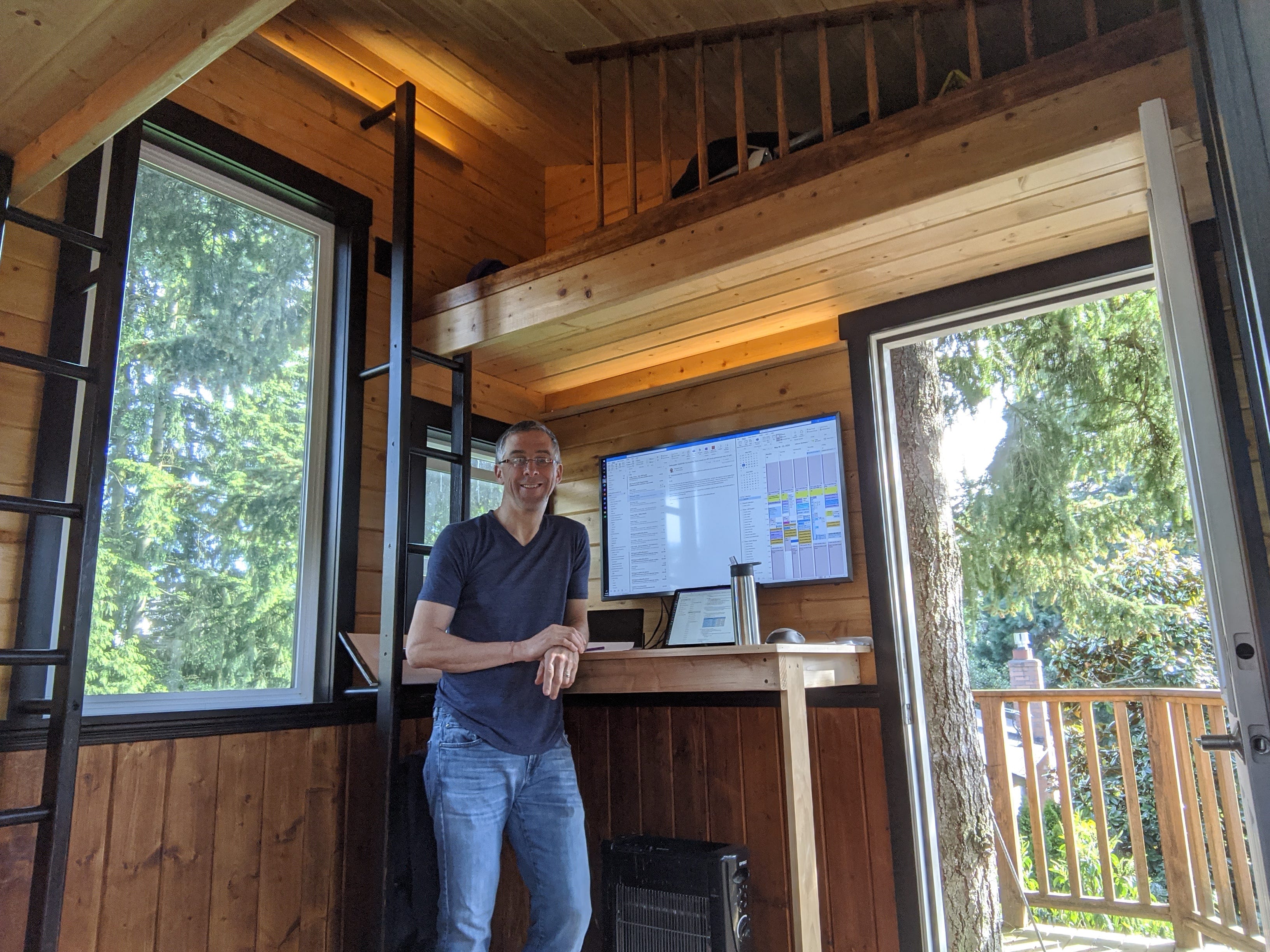
I worked in this space for the next three months, and it was far more productive than working from the house ever would have been. My commute was a mere 20 steps, but it was perfect. I was leaving home and going to work.
Space plays an important role in your overall productivity. Be aware of that, and be the architect of your space, down to what trinkets you choose to place on your desk. Here's how to shape both your physical space and your digital space to help spin your energy flywheel2 and propel you towards success.
Think Sanctuary
A single general-purpose space that you can do any and all of your work in is flexible, but it is not focused. It is not optimized for any specific use, and it is a distraction farm because it has unnecessary stuff in it. Rather than designing a single space that you stay in for your entire workday, think of the different roles that you are in throughout your day and create separate spaces for each role, each space shaped specifically for a single role.
James Clear in Atomic Habits3 says "One space, one use." This perfectly captures the mindset to be in when you are designing your spaces. Create distinct sanctuaries, dedicated and held sacred.
You attend meetings in your Sanctuary of Collaboration. You imagine in your Sanctuary of Brainstorming. You build your team's calendar in your Sanctuary of Planning. And you get shit done in your Sanctuary of Productivity … your workshop, your lab, your operating room.
You don't need a lot of space to house all of your different sanctuaries. My 7' x 9' treehouse office, after a bit of tuning, had five of my six sanctuaries in it.
Sanctuary of Productivity: my main stand-up desk with a large monitor and a good keyboard and mouse.
Sanctuary of Planning: not a separate physical space, but just a separate digital space. I had a virtual desktop that just had the team calendar, work item queries, and a costing spreadsheet. One keystroke and I had everything I needed for planning our next semester.
Sanctuary of Communication: another virtual desktop with Outlook (Mail), Teams (Chat), and my OneNote for capturing new work coming to me from any of these communications.
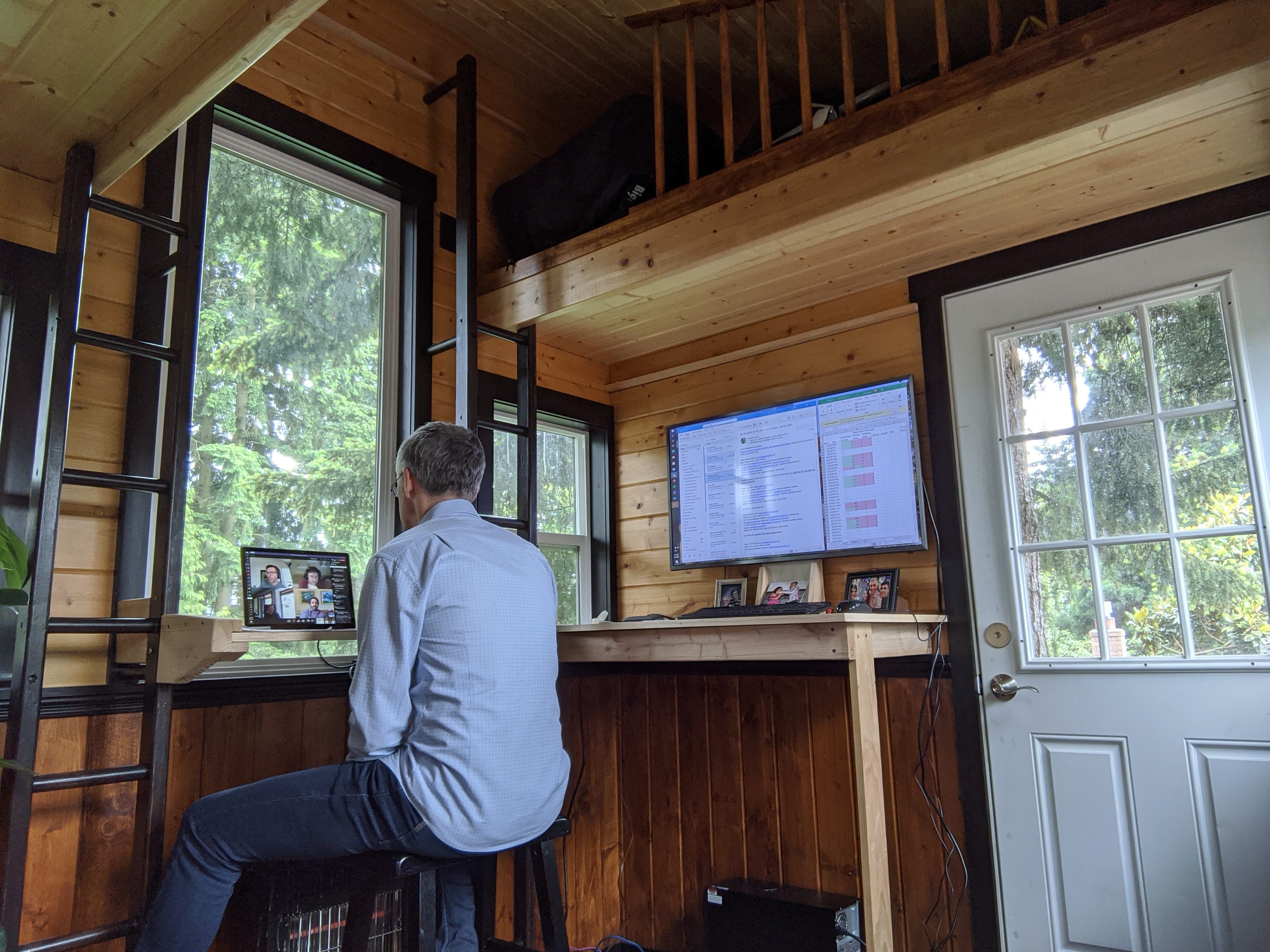
Sanctuary of Collaboration: at first I tried have meetings in my Sanctuary of Productivity, but I caught myself regularly perusing my own work in the middle of the meeting. So I added a small desk, laptop, and chair turned 90 degrees from my desk. Separation achieved.
Sanctuary of Writing: I had a comfy chair in the opposite corner of the treehouse with a side table for my coffee mug. That chair was my writing chair years at work, so I brought that same chair home and put it in the treehouse.
The only sanctuary I was missing in this space was my Sanctuary of Brainstorming. For that, I had two walls full of whiteboards in my office, or I would use an available conference room. Of my six sanctuaries, Brainstorming is the only one that really demands more space.
Analyze Your Space
Take these four photos:
Step back and take a picture of your entire workspace.
Turn around and take a picture of your immediate surroundings.
Take a screenshot of your computer desktop.
Open up virtual desktops (Mission Control on Mac and Win+Tab on Windows) and take a screenshot.
Print these four photos out, label them "Before", and hang them in your workspace. Then ask yourself these four questions:
How does my space accelerate me? Look at the aspects of your space that are working well. These will be the solid footing that you'll start from.
How does my space hinder me? Now look for the obstacles in your space, the distractions and the discomforts that you regularly battle.
Do I have quick and easy access to what I need most? Make sure the important stuff is all within arm's reach, and remove the stuff that is less frequently needed.
Does my environment induce stress or peace? This needs to be your happy place, so make sure that there are the right trinkets in place to help you maintain positivity. If you look at the two treehouse photos above, you'll see that photos of the family were added to my desk as I iterated on the space.
As you start to look for your own improvements, let me share my own discoveries about space optimization.
More Pixels = More Productive
This was a tag line from a team at Microsoft that was researching larger displays. Moving between an 11" laptop screen and a 21" monitor is an increase in real estate, but both still feel pretty similar. Most likely you are just stacking maximized windows on top of each other and switching between these windows. But when you go to a 40" monitor, something magical happens. When you have that much space, a maximized window is too big to be useful. So you start spreading your windows out on the screen. And that's the point where your monitor starts to feel like a large work canvas. Add the virtual desktop feature and you now have as many distinct canvases as you need, all available with a keystroke.
These monitors keep getting cheaper, and computers keep being able to support higher resolutions. Buy a 40"-45" monitor and watch how differently you approach your work organize your digital space. The single biggest productivity boost in my last 10 years at Microsoft was when I switched from multiple smaller monitors to a single 40" monitor.
Out of Sight, Out of Mind
It is becoming increasingly common for a desk to be all about the desk surface itself, with little to no storage underneath. You can see that in my treehouse photos as well. This means more and more things end up on top of your desk, where it can get in your way and distract you (see question #2 above). Get some storage to put all the things that aren't commonly needed.
Manufactured Distance
Commuting to and from work isn't all fun. Traffic is a big stressor and time suck. But the upside of the commute is the time it gives you to switch gears. In the morning, you use the commute to get ready for the work day. And in the evening, you use the commute to decompress.
Working from home removes the bad part of the commute. But, unfortunately, it also removes the good part. So when you're working from home, manufacture the distance necessary to give you the time to fully switch into and out of work mode. My 20 steps to the tree house was fine in the morning, but I found that after work I was better off either taking a few laps around the house or coming back into the house via the garage, using that space as my decompression chamber. Five minutes of organizing tools or cleaning the workbench worked wonders for me.
And once you see the value of having manufactured distance at the ends of your day, you can try putting it where needed midday, like helping with context switching that I described last week4: "Then I use the remaining time to get up, move around, and maybe visit the kitchenette or bathroom."
Make Space Optimization a Team Sport
I gave a class at Microsoft on optimizing your space. This was a class created after the pandemic. Before then, there wasn't much need. For years, the way that we had all been tuning our workspace was by observing what was working for others. You'd be in someone's office looking over their shoulder as you two worked on something. You'd notice something about their arrangement that was clever and that you wanted to try, like a keyboard or mouse they were using. Or you'd catch them doing something on the screen that you hadn't seen before and you stop them to ask how they did that.
Now that we are in a much more hybrid working environment, we can't rely on incidental discovery of effective space hacks. On a virtual call, the only part of your space the participants see (if you even have your camera on) is the small portal of space behind you. In my class, I tried to drive this point home by saying, "20% of our organization has never seen a fully operating Microsoft campus, where a walk down the hall would expose you to dozens of workspace variations." We need to explicitly capture and share the space wins that we have found.
Keep tuning your own space, and keep sharing your biggest wins.
I love the Manufactured Distance point! One of the most profound insights I had making the switch to WFH for the pandemic was being really intentional about the entry into work and the re-entry back into home. That was a game changer!